
17 November 2026
How to Protect Your Business Social Media Accounts From Hackers
By Jack Wetson-Catt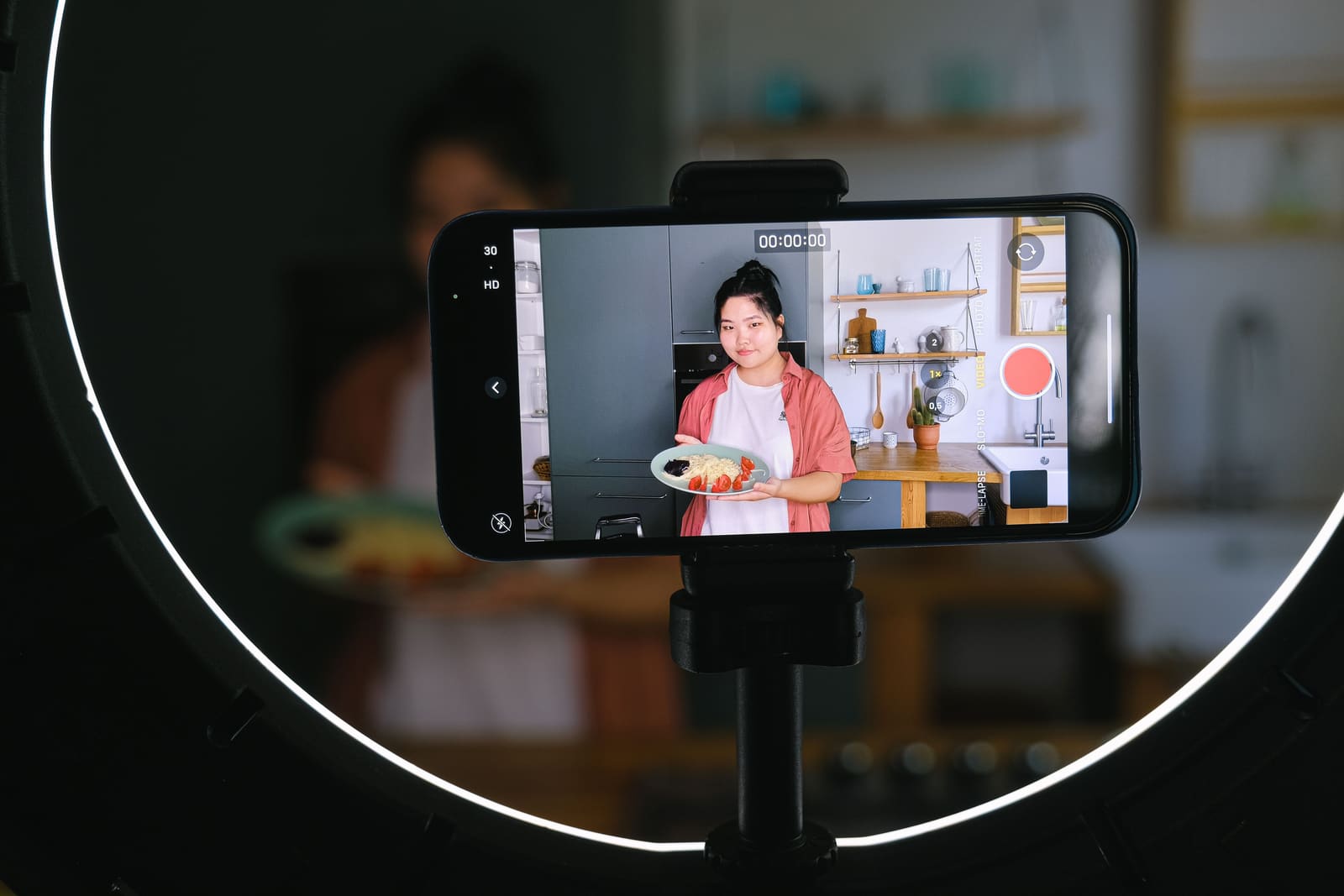
Photo by Anna Shvets on Pexels
Ask most small businesses who controls their Facebook Page, LinkedIn Page or Instagram account and you'll get a slightly uncertain answer. "Sarah set it up." "The agency handles it." "I think it's on the old marketing email."
That uncertainty is normal. Social media accounts tend to be created one at a time, by whoever needed them that week, and then left alone because they keep working. The trouble starts when they stop working: a password reset you didn't ask for, a post you didn't write, or a message to your customers offering a "refund" that never came from you.
Social accounts carry your name, your logo and your customers' trust. Someone who takes one over can post scams, message your followers, read private conversations, remove your own team as administrators, and in some cases spend money through a linked advertising account. Even a takeover that's fixed within a day can leave customers wondering what was real.
The fix isn't complicated, but it needs doing before anything goes wrong rather than during.
Why these accounts slip through the net
Your Microsoft 365 or Google Workspace accounts probably have a proper process around them. Someone creates them, someone removes them, and there's an admin who can see everything. Social media rarely gets the same treatment, for a few reasons:
- They're set up by marketing, not IT. Nobody thinks of a Facebook Page as a business system, so it never makes it onto the list.
- Personal details get used. Whoever created the account often used their own email address and mobile number because it was quickest.
- Access spreads. An agency gets added for a campaign, a freelancer helps with a rebrand, a scheduling tool gets connected, and none of it gets taken away afterwards.
- Nothing breaks. As long as posts go out, nobody has a reason to look.
The NCSC's guidance on protecting what you publish makes the same basic point: treat publishing access as something to control, not something that just happens.
Step one: write down what you've got
You can't secure accounts you don't know about. Start with a simple register covering every social account connected to the business. Look beyond the obvious company pages to old campaign accounts, YouTube channels, profiles for individual branches or services, and any advertising accounts.
For each one, record:
- The platform and the page or handle name
- Who in the business is responsible for it
- Everyone who currently has access, and at what level
- The recovery email address and recovery phone number
- Any linked advertising account or payment card
- Any agencies, freelancers or tools that can post or read data
Keep this somewhere the business controls, but leave passwords out of it. Those belong in a business password manager, along with any backup or recovery codes. The register is there so that when someone leaves, or an account starts behaving oddly, you're not piecing it together from old emails.
Step two: make sure the business, not a person, owns the recovery details
This is the step that matters most if things go wrong. When a platform needs to confirm you're the rightful owner, it usually sends a code to the recovery email or phone number. If those belong to someone who's left, or to a personal account nobody else can reach, recovery gets very slow or simply doesn't happen.
Work through each account and check:
- The recovery email is a business address that will outlive any one employee. A shared, monitored mailbox for social media admin works well, protected with strong sign-in and limited to the people who'd handle a recovery.
- The recovery phone number belongs to the business. A personal mobile leaves with its owner, and an old number that's been given up can eventually be reissued to a stranger. A line held on the company's own account stays put when people change, which is one practical reason to put recovery numbers on a business mobile line the company owns rather than someone's personal phone.
- At least two trusted people can manage access. Keep the group small, but don't let the whole account depend on one person being reachable.
- Recovery codes are stored centrally. If the only copy lives on one employee's phone, it walks out of the door with them.
Step three: stop sharing one login
If three people manage your Facebook Page by signing in with the same username and password, you have no idea who did what, and you can't remove one person without disrupting everyone else.
The major platforms are built to avoid this:
- Facebook lets you give individuals access to a Page at different levels, from full control down to more limited access for specific tasks, each through their own Facebook account.
- LinkedIn Pages don't have a separate login at all. Admin roles are attached to people's own LinkedIn profiles, and LinkedIn treats sharing login details as a breach of its policies that can get an account restricted.
- YouTube uses channel permissions, so several people can manage a channel through their own Google accounts without ever knowing the owner's password.
Individual access means you can remove one person cleanly, and you get a record of whose account did what. The NCSC recommends keeping account access logging switched on for exactly that reason, so there's an audit trail if an unauthorised post ever appears.
Step four: give people only what they need
Not everyone who touches your social media needs the keys to the whole thing. Someone writing posts doesn't need to add administrators or change recovery details. An analyst might only need to see reports. An agency running a paid campaign doesn't automatically need full control of your company page.
Full control is worth guarding closely, because on most platforms it includes the power to add and remove other people, which is exactly what an attacker uses to lock you out. Keep that level to the small group who'd handle a recovery.
Then revisit it whenever someone's role changes. People move out of marketing all the time, and their page access almost never moves with them unless someone makes a point of it.
Step five: turn on stronger sign-in for everyone with access
Passwords get stolen through fake login pages, malware and reuse across sites. Multi-factor authentication (sometimes called two-step verification, or 2SV) adds a second check that a stolen password alone won't get past. The NCSC's advice for organisation accounts is simple: where a platform or management tool offers it, switch it on.
That means every person with access, not just the main administrator. A junior staff member who only schedules posts still has an account that can be used as a way in.
Not all methods are equally strong:
- Passkeys and security keys are the strongest option, because they won't work on a fake website. If you're not sure what they are, our guide to passkeys and whether your business should use them covers it.
- Authenticator apps are a solid choice where passkeys aren't available.
- Text message and email codes are better than nothing, but can be phished or intercepted through attacks on a phone number or inbox.
Make sure everyone knows one rule: if a sign-in prompt appears when you aren't signing in, reject it and tell someone.
Step six: protect the inbox behind the account
Your recovery email is effectively a master key. Anyone who gets into it can reset the social media password, approve changes and quietly delete the platform's warning emails before you see them.
So that mailbox needs the same care as any other important account: a unique password, MFA and up-to-date recovery details of its own. If you ever suspect it's been accessed, check for forwarding rules and inbox rules you didn't create, as these are a favourite way hackers keep access to your email after a password change.
Be suspicious of "your page will be removed" messages
One of the most common ways in is a message that looks like it's from the platform itself. It might say your page has broken a rule, used copyrighted material, is about to lose its verification, or needs to confirm its identity. There's usually a deadline, and a link to "appeal".
That link leads to a convincing fake sign-in page that collects your password and your MFA code in one go. A variation asks you to add a "support specialist" as a page administrator, which hands them control directly.
A few habits make these far less dangerous:
- Never sign in from a link in a message, comment or unexpected email. Open the app or type the website address yourself, and check notifications from inside the account.
- Never share a password, verification code or backup code with anyone, however official they seem. Genuine platform support won't ask for them.
- Don't trust a message just because it uses your logo or mentions a recent post. Both are public and easy to copy.
Keep an eye on connected tools and ad accounts
Scheduling tools, analytics dashboards and customer messaging platforms often connect straight into your social accounts. Useful as they are, each one holds access that an attacker could use without ever needing your password if that tool is compromised. The NCSC suggests giving management tools the same level of protection as the social platform itself.
In each platform's security or connected apps settings:
- Remove anything the business no longer uses.
- Question anything you don't recognise.
- Check what the remaining tools can actually do. A reporting tool needs to read data, not post on your behalf.
Advertising deserves its own look, because it's where a takeover can cost real money. Check who can create campaigns, change spending limits and manage payment methods, remove old cards, and turn on spending alerts where they exist. Bear in mind that page access and ad account access are often managed separately, so removing someone from one doesn't necessarily remove them from the other. Ask whoever checks the company card statement to flag any unfamiliar social media charges, since a small test charge is sometimes the first sign something is wrong.
Build social media into joiners and leavers
When someone leaves, their access to social accounts should be removed as part of the same process that closes their email account. In practice it often gets forgotten because it lives outside the usual IT systems.
When anyone with access leaves, or an agency relationship ends, go through the register and remove:
- Their page or channel roles
- Their advertising permissions
- Their access to any scheduling or reporting tools
- Any shared password they knew, by changing it and signing out active sessions
Check each platform and tool individually. An agency might have separate access to your page, your ad account, your scheduling tool and a shared folder of assets.
Watch for warning signs
Most platforms show where an account is currently signed in and let you turn on alerts for new logins or security changes. Switch those alerts on, and send them to a mailbox someone actually reads, not an individual's inbox that sits unchecked while they're on holiday.
If you spot a session you don't recognise, check with the team first. Location data based on internet addresses is often approximate, so an unexpected town on its own doesn't prove anything. If nobody claims it, sign that session out, change the password and look back at recent activity.
Have a plan for the day it happens
The NCSC is clear that if an account is hijacked, the first priority is getting control back to contain the damage. That's much quicker if you've already decided who does what. Write down:
- Who contacts the platform, and where its official recovery pages are (keep the links in your register, so nobody searches in a panic and lands on a fake "support" site)
- Who secures the recovery mailbox
- Who approves a public statement or a message to customers
When it happens, work through it in this order:
- From a device you trust, change the password and sign out every other session.
- Secure the recovery email account too. Resetting the social password while an attacker still controls the inbox just lets them take it back.
- Check for anything the attacker changed: new administrators, altered recovery details, newly connected apps.
- Screenshot and note the time of anything suspicious, including posts, messages, adverts and account changes.
- If customers received fraudulent messages, warn them through a channel you still control and tell them exactly what to ignore. If anyone has been defrauded, they can report it to Report Fraud, the UK's national fraud and cybercrime reporting service.
A five-minute review to repeat
A few times a year, and whenever someone joins, leaves or changes role, or you start or stop working with an agency, check that you can still answer these without hunting through old messages:
- Who owns each account?
- Who can get into it, and at what level?
- How is that access protected?
- What would we do if it were taken over tomorrow?
Platforms add and change security settings regularly too, so use the review to see whether anything new is worth switching on.
Frequently Asked Questions
Should only one person have admin access to our social media?
No. One administrator means one point of failure: if they're off sick, leave, or lose access to their own account, the business can be locked out. Keep full control to a small group, but make sure at least two trusted people can manage and recover each account.
Is an authenticator app better than a text message code?
Generally, yes. Text message codes can be intercepted if a criminal takes over the phone number, which an authenticator app avoids. Passkeys and security keys go further, as they can't be used on a fake website. If text messages are the only option a platform offers, they're still far better than a password alone.
Can we let a marketing agency manage our accounts?
Yes, but give them their own access through the platform rather than your main password, limit it to the work they're doing, and remove it as soon as the relationship ends. Make sure the agency isn't the owner or the only administrator of anything.
Is it fine to use a personal email address for account recovery?
It's best avoided. A personal address belongs to the individual, not the business, so it causes problems the moment that person leaves or can't be reached. Use a business mailbox that will still exist when staff change.
What if a platform doesn't support separate users?
Store the password in a business password manager, limit it to as few people as possible, and change it whenever someone in that group leaves. Turn on MFA, and record who controls the recovery email and phone number. If your business social media has been set up piece by piece over the years, it's worth an hour to find out who really holds the keys. If you'd like help reviewing who owns your accounts and tightening up access, let's talk.
Written by
Jack Wetson-CattJack co-founded Atema in 2017 and leads the team day to day, bringing years of IT experience across telecoms, finance and legal to how Atema supports its own clients.